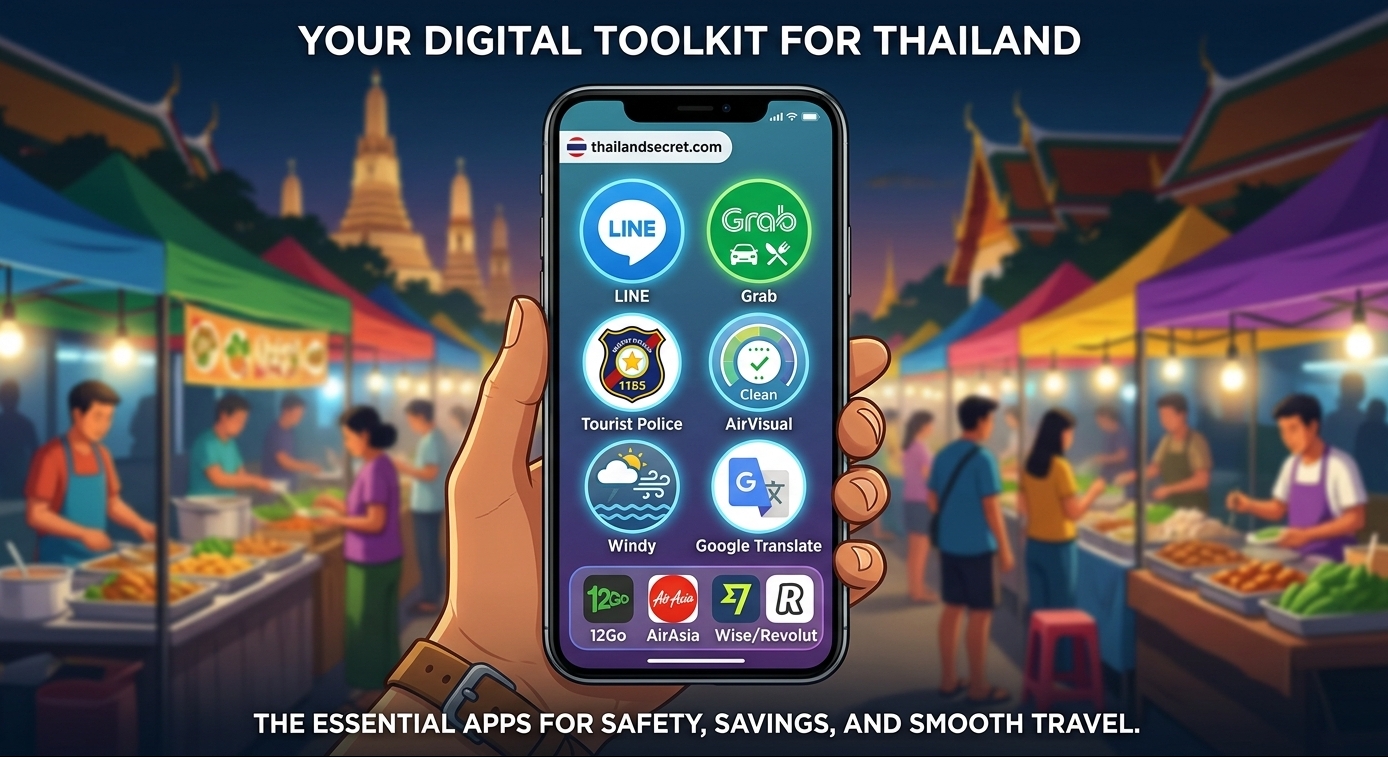
Navigating Thailand smoothly requires a few specialized apps that locals and experienced expats rely on daily.
While Google Maps gets you from point A to point B, managing transport, communication, food, and environmental conditions requires a localized digital toolkit.
Here is the essential smartphone setup for visiting Thailand, organized by function.
1. Local Communication & Booking: LINE
In Thailand, LINE is far more than a messaging app, it functions as the primary platform for business communication, customer service, and local bookings.
-
Why You Need It: Small hotels, tour operators, scooter rental shops, and dive centers regularly prefer LINE over email or phone calls.
-
Key Use Case: Adding businesses via their official LINE ID or QR code allows you to confirm reservations, send location pins, and arrange pickups instantly.
2. On-Demand Transport & Food: Grab, Bolt, & LINE MAN
Relying on street cabs or standard walk-ups can lead to inflated prices.
Combining ride-hailing and delivery apps ensures fair pricing and clear routes.
| App | Best Used For | Key Advantage |
| Grab | On-demand cars, taxis, & GrabFood | Accepts international credit cards; most widely available across major tourist regions. |
| Bolt | Budget-friendly car & motorcycle rides | Often 20–40% cheaper than Grab for urban trips, particularly in Bangkok and Phuket. |
| LINE MAN | Regional food delivery & street food | Access to small local eateries and street stalls that are not listed on Western platforms. |
Local Insight: Foodpanda exited the Thai market, so GrabFood and LINE MAN are the primary choices for food delivery.
3. Seasonal Air Quality Tracking: IQAir AirVisual
Air quality can vary significantly depending on the season and region—particularly during the agricultural burning season in Northern Thailand (Chiang Mai, Chiang Rai) between February and April.
-
Why You Need It:
The IQAir AirVisual app provides real-time PM2.5 tracking and 7-day pollution forecasts tailored to your specific neighborhood. -
Key Use Case:
Checking air quality index (AQI) levels before planning outdoor hikes, day trips, or island excursions helps you decide when to wear an N95 mask or adjust your itinerary.
4. Public Transit & Navigation: ViaBus
While Google Maps handles train routes well, tracking local bus networks and songthaews (shared pickup trucks) can be challenging.
-
Why You Need It: ViaBus provides real-time GPS tracking for public buses, river ferries, and transit networks in Bangkok and select major provinces.
-
Key Use Case: Seeing the exact live location of an approaching bus or ferry prevents unnecessary waiting at unshaded stops in the heat.
In Bangkok, the bus system is a bit of a mess and the trains are average, but the underground and BTS Skytrain in Bangkok are really good.
You can download the app to save money on fares and have your tickets easily accessible on your smartphone.
5. Safety & Emergency Assistance: Tourist Police “I Lert U”
For direct peace of mind while exploring, the Royal Thai Police provides a dedicated mobile emergency service tailored specifically for foreign travelers.
-
Why You Need It:
Calling standard emergency lines like 191 can lead to language barriers and delayed response times.
The Tourist Police “I Lert U” app connects you directly to the 1155 Tourist Police Command Center with 24/7 access to multilingual dispatchers and interpreters (fluent in English, Chinese, Japanese, Russian, and more). -
Key Use Case:
Pressing the emergency dispatch button automatically transmits your exact real-time GPS coordinates and attached photos to nearby Tourist Police units.
It gives you immediate location-based assistance if you get lost, suffer a medical emergency, or face rental disputes, even if you don’t know your exact address or speak Thai.
6. Local Weather & Storm Radar: Windy or Thai Weather (TMD)
Standard global weather apps often struggle to predict tropical downpours in Southeast Asia, where rain can be hyper-localized and sudden.
-
Why You Need It:
Knowing whether a storm cloud means a 20-minute passing shower or an all-day deluge makes a huge difference when planning island ferry trips, beach days, or scooter drives. -
Key Options & Use Cases:
-
Windy: Essential for island hopping and coastal destinations (e.g., Phuket, Koh Samui, Krabi). It provides live doppler radar, wind patterns, and sea wave height forecasts so you can check maritime safety before stepping onto a longtail boat.
-
Thai Weather (TMD): The official portal by the Thai Meteorological Department. It provides real-time local radar coverage, heat index warnings, and official tropical storm advisories across every province.
-
7. Long-Distance Land Travel: 12Go Asia & SRT D-Ticket
Booking cross-country trains, long-distance buses, and island ferries in Thailand is straightforward if you use the right platforms.
-
12Go Asia: The go-to third-party aggregator across Southeast Asia.
It allows you to search, compare, and book combined routes (such as a bus + speed boat package to islands like Koh Phangan or Koh Tao) with instant mobile vouchers and foreign credit card support. -
SRT D-Ticket: The official booking app operated by the State Railway of Thailand.
It is the best tool for reserving train seats directly up to 30 days in advance, essential if you want to secure popular 1st or 2nd-class sleeper train berths on routes like Bangkok to Chiang Mai.
8. Regional Domestic Airlines: Budget & Full-Service Carriers
Thailand’s domestic flight network is dense, affordable, and connects major hubs in under two hours.
-
Low-Cost Carriers: Thai AirAsia, Thai Vietjet Air, Nok Air, and Thai Lion Air dominate local routes with high daily frequencies out of Bangkok’s Don Mueang (DMK) and Suvarnabhumi (BKK) airports.
They are ideal for quick hops to Chiang Mai, Phuket, Krabi, or Hat Yai, provided you pay attention to strict carry-on weight limits and pre-purchase checked baggage. -
Full-Service & Boutique Carriers: Thai Airways offers standard regional flights with checked baggage included.
Bangkok Airways operates as a boutique carrier and is particularly notable because it owns and operates Samui Airport (USM); if you are flying directly into Koh Samui, Bangkok Airways is typically the main operator available.
9. Financial & Payment Tools: Managing Money Like a Local
Navigating foreign transaction fees, currency conversion, and cash access in Thailand is much easier when you use multi-currency wallets and specialized local tourist payment tools.
-
Wise & Revolut: The gold standard for international travelers.
Opening a multi-currency account allows you to convert funds into Thai Baht (THB) at mid-market rates without heavy bank markups.
Pre-loading THB onto your card prevents unexpected conversion fees when paying at hotels, supermarkets, and restaurants. (Tip: Always choose to be charged in THB instead of your home currency when tapping your card at checkout to avoid Dynamic Currency Conversion fees). -
TAGTHAi: A national travel app developed in partnership with the Tourism Authority of Thailand and major banks like KBank.
One of its key features, TAGTHAi Easy Pay, allows foreign tourists to set up an e-wallet and scan local Thai QR Payments (PromptPay).
Because many street vendors, night markets, and small cafes only accept QR transfers rather than credit cards, this bridges the gap between carrying heavy cash and going fully digital.
ATM Cash Tip: Virtually all local Thai ATMs charge a mandatory 220 THB (~$6 USD) surcharge on foreign debit/credit card withdrawals. To minimize costs, withdraw the maximum limit per transaction (usually 20,000 to 30,000 THB at the yellow Krungsri ATM machines) rather than making multiple small withdrawals.
10. On-the-Ground Language Support: Google Translate
While many Thais working in major tourist hubs speak conversational English, navigating local street markets, reading bus signs, or speaking with drivers in regional areas can present a language barrier.
-
Why You Need It: Google Translate is essential for instant cross-language communication, enabling live back-and-forth speech conversations and visual translations.
-
Key Features & Offline Setup:
-
Instant Camera Translation: Point your phone camera at Thai script on street signs, food stall menus, or train tickets for real-time visual translations.
-
Offline Language Pack: Before heading out, open the app’s settings and download the Thai language pack for offline use.
This allows camera and text translations to function seamlessly even if you temporarily lose cell service in national parks, on islands, or inside remote caves.
-
11. Essential Navigation & Offline Maps: Google Maps
While Google Maps comes pre-installed on most smartphones, utilizing its full potential in Thailand requires a few specific pre-trip preparations.
-
Why You Need It:
Beyond basic turn-by-turn driving, walking, and Bangkok public transit (BTS & MRT) directions, Google Maps serves as Thailand’s primary directory for business operating hours, English customer reviews, and exact entrance locations. -
Offline Maps Setup:
Signal drops can occur when driving through remote mountain passes in Northern Thailand (like the road to Pai) or sailing between smaller island chains. Open your profile icon, tap Offline maps, select the regions you plan to visit (e.g., Bangkok, Chiang Mai, Phuket), and download them over Wi-Fi before heading out.
This guarantees seamless GPS navigation even when you completely lose mobile data coverage.
Checklist: Initial App Setup
-
Verify Before Departure: Register your LINE and ride-hailing accounts using your home phone number before leaving, or immediately after inserting a Thai SIM/eSIM.
-
Payment Cards: Pre-link an international credit/debit card (such as Wise or Revolut) to Grab to avoid carrying extra cash for transport.
-
Location Services: Set location permissions to “While Using the App” for transport, safety, and air quality tools to receive accurate real-time data.
If your found this article useful, do not hesitate to share it with friends and family.
Support our work: Click Here
Best Travel Insurance: click here
Best VPN for Travel: click here
Have any thoughts?
Share your reaction or leave a quick response — we’d love to hear what you think!
-
 0
-
 0
-
 0
-
 0
-
 0
-
 0